Send your account reconciliations by email and track responses from a single screen.
At the end of a period, reconciling balances with customers means preparing letters, sending them one by one, waiting for replies and organising the documents that come back. As your customer numbers grow, it gets harder to track who has replied and which balance is being disputed.
With Techsoft E-Reconciliation you list your account balances, email the reconciliation letter to the customers you select, and track responses and documents from the same program.
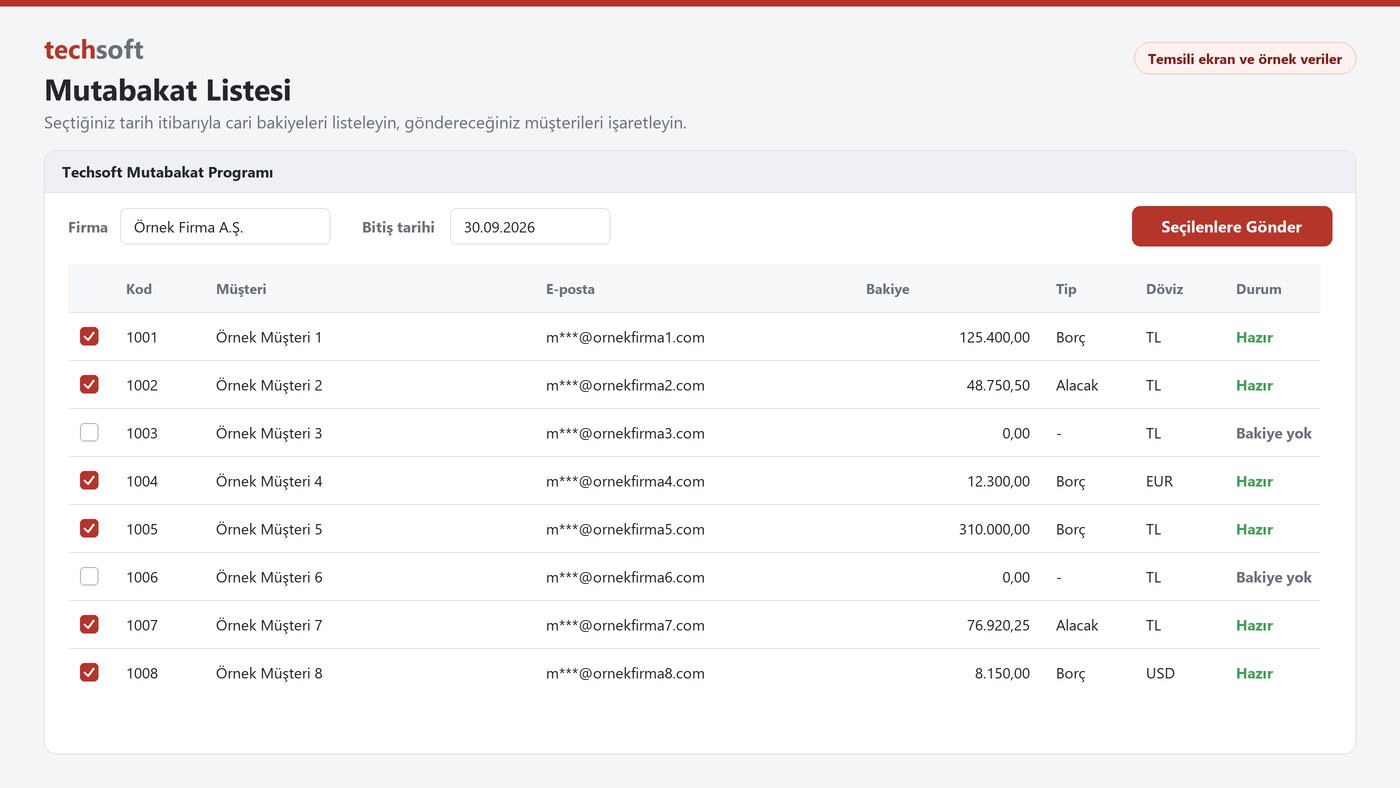
Account balance list
Choose the company and end date, and customer code, name, email address and balances come up as a list.
Benefit to your business: You don't need to build a separate list to prepare the customers to reconcile with.
Debit, credit and currency details
See each balance with its debit or credit type; foreign currency balances and currency names are on the list too.
Benefit to your business: You can review the amounts in the letter before sending.
Bulk selection and sending
Tick customers on the list and start sending for those you have selected.
Benefit to your business: It reduces the work of preparing a separate letter and email for each customer.
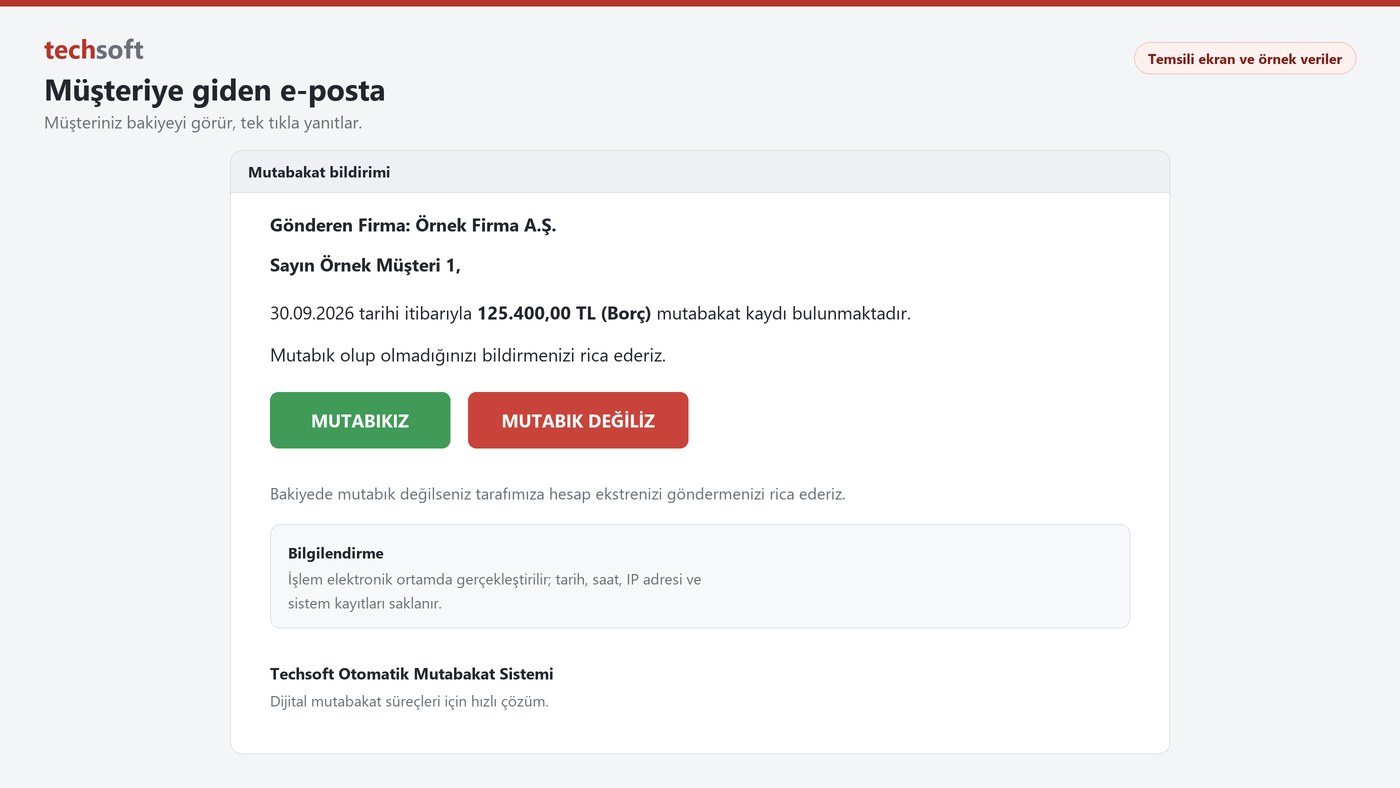
Reconciliation email
The sending company, customer, date, amount and balance type are clearly stated in the email. The response period and reminder text are sent with the letter.
Benefit to your business: Your customer sees what they are responding to as soon as they open the email.
One-click response
Your customer replies using the We Agree or We Disagree button in the email.
Benefit to your business: It makes replying easy and helps speed up responses.
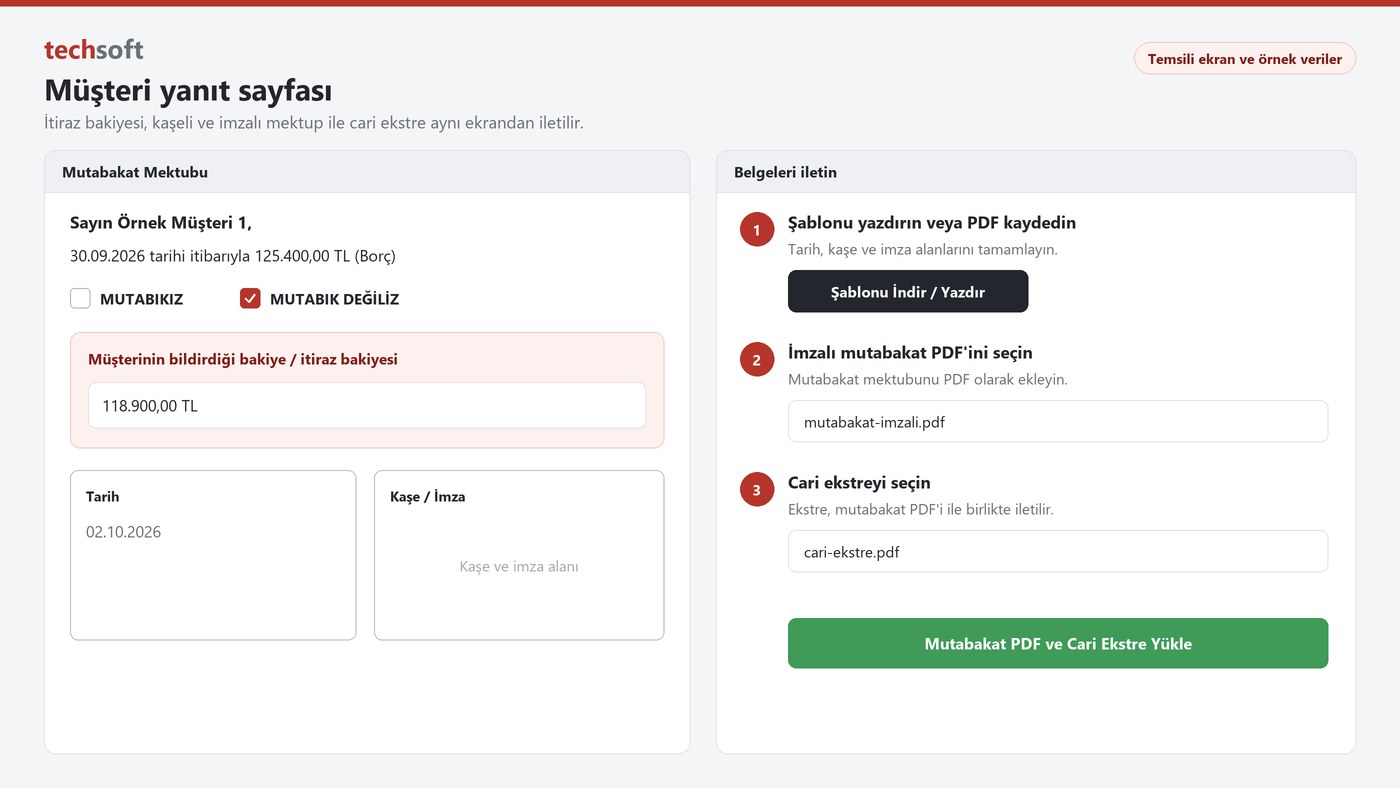
Disputed balance
A customer who disagrees enters the balance in their own records on the response page.
Benefit to your business: You see the difference directly and can start looking into it sooner.
Stamped and signed letter
Your customer prints the reconciliation template or saves it as a PDF, completes the date, stamp and signature fields and uploads it.
Benefit to your business: Signed documents are kept with the related reconciliation record.
Account statement
Your customer sends their account statement together with the reconciliation PDF in one go.
Benefit to your business: You may not need to ask separately for the document needed to look into differences.
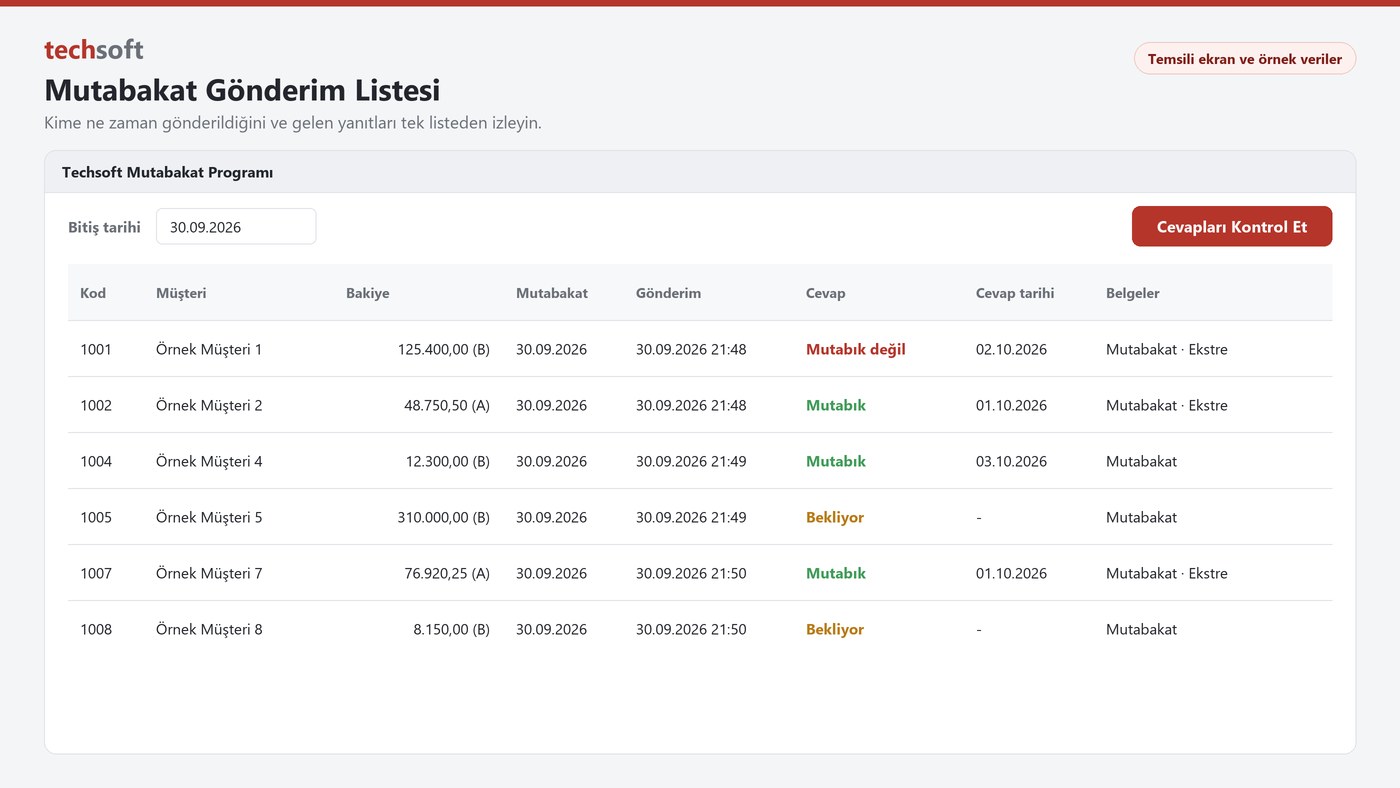
Sending list
Track from one list which customer was sent which reconciliation, and when.
Benefit to your business: Customers yet to respond become visible, so you can easily decide who to remind.
Response tracking
Use Check Responses to bring incoming responses and response dates into the list.
Benefit to your business: You see the current status without searching through mailboxes.
Access to documents
Open the reconciliation letter and account statement from the list, and reach records quickly with search.
Benefit to your business: Finding documents during an audit or review becomes easier.
How does it work?
1. List
Choose the company and date, and bring up account balances.
2. Send
Tick customers and send the reconciliation emails.
3. Get responses
Your customer states their agreement or the disputed balance and uploads their documents.
4. Track
Follow responses, dates and documents from the sending list.
Transaction records
The reconciliation process is carried out electronically. The date, time, IP address and system records created during the process are stored.
Benefits for your business
- Reduces the work of preparing and sending reconciliation letters one by one.
- Shows you responding and pending customers together.
- Makes it easier to look into disputed balances and differences.
- Keeps signed letters and account statements with the related record.
- Brings order to the accounting team's period-end follow-up.
Contact Techsoft to simplify your period-end reconciliations and request a demo.